Comparison
Silhouette Cameo 5 vs Cameo 4
Published
Short answer
The Cameo 5 keeps the Cameo 4's dual carriage, built-in roll feeder and cross cutter, and adds refinements: the current Cameo 5 Alpha listings describe 4-point registration for Print and Cut, Intelligent Path Technology, a Fast Sketch Mode, cutting speeds up to 400 mm/s and electrostatic mat support. A used Cameo 4 in good order is still a smart buy for vinyl and iron-on; the Cameo 5 is worth it if you do a lot of printed stickers or want the electrostatic mat.
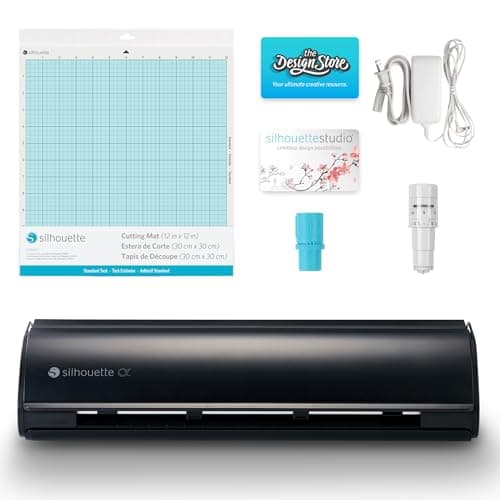
Silhouette America
Silhouette Cameo 5 Alpha: materials up to 3 mm
See price on Amazon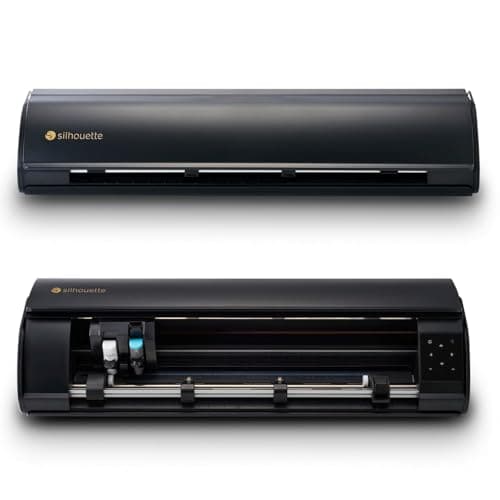
Silhouette America
Silhouette Cameo 5 Alpha Plus: 15 in cutting width
See price on Amazon
- Silhouette Cameo 5 Alpha: materials up to 3 mm
- Max material thickness
- 3 mm
- Max cut width
- Not stated
- Blades/tools
- AutoBlade; cuts, sketches and embosses
- Software
- Silhouette Studio
- Silhouette Cameo 5 Alpha Plus: 15 in cutting width
- Max material thickness
- 0.5 mm on the electrostatic mat
- Max cut width
- 15 in
- Blades/tools
- AutoBlade, sketch pen adapter
- Software
- Silhouette Studio, 100 designs, 1-month Design Store subscription
| Pick | Max material thickness | Max cut width | Blades/tools | Software | Price | Link |
|---|---|---|---|---|---|---|
| Silhouette Cameo 5 Alpha: materials up to 3 mm | 3 mm | Not stated | AutoBlade; cuts, sketches and embosses | Silhouette Studio | - | Amazon |
| Silhouette Cameo 5 Alpha Plus: 15 in cutting width | 0.5 mm on the electrostatic mat | 15 in | AutoBlade, sketch pen adapter | Silhouette Studio, 100 designs, 1-month Design Store subscription | - | Amazon |
Facts are taken from each Amazon listing. Prices are checked daily and shown with their date.
Verdict
Buy the Cameo 5 Alpha new if you make a lot of Print and Cut stickers, and the Alpha Plus if you want 15 inch width or the electrostatic mat. A used Cameo 4 at a clear discount is still a smart buy for vinyl, iron-on and cardstock.
The Cameo 4 and Cameo 5 look alike, use the same Silhouette Studio software and share the dual carriage layout. This page is for buyers deciding between a new Cameo 5 and a discounted or used Cameo 4, and for Cameo 4 owners wondering whether to upgrade. We compare what changed, list facts from current listings, and explain which projects benefit. Our catalog carries the Cameo 5 Alpha and Cameo 5 Alpha Plus, the current versions of the Cameo 5 sold on Amazon. It does not list a Cameo 4, so the Cameo 4 is described from Silhouette's widely documented features rather than a listing.
What the two generations share
Both generations have two tool carriages, so you can cut and sketch, or cut with two tools, in one job. Both have the built-in roll feeder at the front and a cross cutter for trimming material off a roll, and both use the AutoBlade, which sets its own depth from the material chosen in Studio. The second carriage on both accepts the Kraft Blade and other tools for thicker material.
Both come in wider versions as well as the standard 12 inch model. If you are unsure which one you own, our which Silhouette Cameo do I have page shows how to check the label and Studio.
What the Cameo 5 listings add
The Cameo 5 Alpha listing highlights a 4-point registration system with vertical and horizontal correction for printed images, stickers and heat transfers. That matters most for Print and Cut sheets, where a slightly skewed print otherwise produces an off-center cut line. Our print then cut size limits page explains registration marks.
It also lists Intelligent Path Technology, which reorders cuts to reduce material stress, a Fast Sketch Mode for drawing, quiet operation and cutting speed up to 400 mm/s. The Alpha Plus listing adds a Power Slide Lid, one-touch job repeat and support for an electrostatic mat up to 0.5 mm thick, which holds material flat without adhesive tack.
Spec table
The Cameo 5 rows use only listing facts. The Cameo 4 row is descriptive because there is no listing for it in our catalog.
| Feature | Cameo 5 Alpha | Cameo 5 Alpha Plus | Cameo 4 |
|---|---|---|---|
| Cut width | Standard model | Up to 15 in | Standard, Plus and Pro versions |
| Registration | 4-point | 4-point | Earlier registration system |
| Speed (listing) | Up to 400 mm/s | Up to 400 mm/s | Not in our catalog |
| Electrostatic mat | Not stated | Supported, up to 0.5 mm | No |
| Thickness (listing) | Materials up to 3 mm | Not stated | Not in our catalog |
| Listed price | $299.00 | $399.99 | No current listing |
Note.Not stated means the listing does not mention it. Check Silhouette America's product page for the full spec of the exact version you buy.
Is a used Cameo 4 still worth buying?
For vinyl decals, iron-on and cardstock, a Cameo 4 does the same basic job. It has the roll feeder, cross cutter and dual carriage that made the Cameo 4 a big step over the Cameo 3, and it runs the current Silhouette Studio. If the price gap is large, it is a sensible choice.
Check a used unit the way you would any cutter: see it power on and connect, run a test cut, and check the rollers and blade. The Cameo 4 generation has its own AutoBlade part, so buy blades marked for the Cameo 4 and later. If a used machine skips or slips, read Silhouette Cameo roller problems first.
- 1
Confirm the model on the label or in Studio's Send panel.
- 2
Run a test cut on vinyl and check it weeds cleanly.
- 3
Load material from the roll feeder and use the cross cutter.
- 4
Check both carriages lock and release a tool.
- 5
Ask whether the AutoBlade is original and how worn it is.
Which projects favor the Cameo 5
Sticker sellers and anyone doing a lot of Print and Cut benefit from the 4-point registration, which reduces off-center cuts. Paper crafters who cut thin cardstock and intricate designs may like the electrostatic mat on the Plus model, since material releases without curling. Fast Sketch Mode helps if you draw a lot of designs with pens.
If your work is mostly HTV for shirts and adhesive vinyl decals, the gains are smaller. Cut settings are a starting point either way: the site's cut settings finder suggests lower AutoBlade depth for thin vinyl and higher for cardstock, with the Kraft Blade on Cameo 4 and later for thick items, then a test cut. See Silhouette Cameo cut settings for more detail.
Software is the same
Both run Silhouette Studio. The free Basic Edition handles most cutting, and paid upgrades add features like SVG import. Silhouette Studio editions explained covers what each tier adds. Setup is identical too; follow how to set up a Silhouette Cameo. If you are also weighing a Cricut, see Silhouette Cameo vs Cricut, and for sticker-focused work the best cutting machines for stickers guide compares options.
Frequently asked questions
Do Cameo 4 blades fit the Cameo 5? The Cameo 4 generation introduced the current tool carriage, and Silhouette lists compatible machines on each blade and tool. Check the packaging before buying.
Is the Cameo 5 Alpha the same as the Cameo 5? It is a current Cameo 5 version sold on Amazon. Its listing describes 4-point registration, IPT, Fast Sketch Mode and speed up to 400 mm/s.
Can the Cameo 4 use an electrostatic mat? No. Electrostatic mat support is a Cameo 5 generation feature, listed on the Alpha Plus.
Should I upgrade from a Cameo 4? Only if Print and Cut accuracy or the electrostatic mat matter to your work. For vinyl and iron-on, a working Cameo 4 is fine.
What you need for this
- See price on AmazonAmazon
Silhouette Cameo 5 Alpha: materials up to 3 mm
 See price on AmazonAmazon
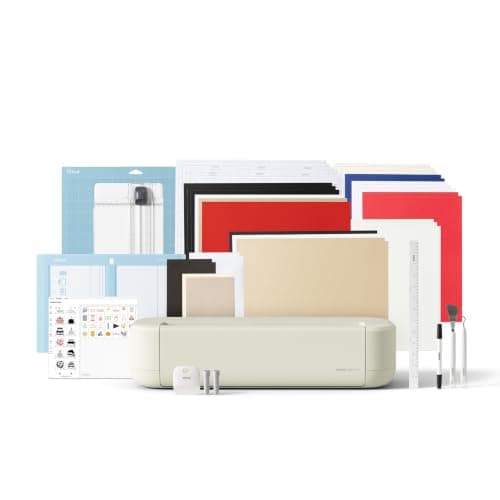
Cricut Explore 5: scores and writes, 12 in width
 See price on AmazonAmazon
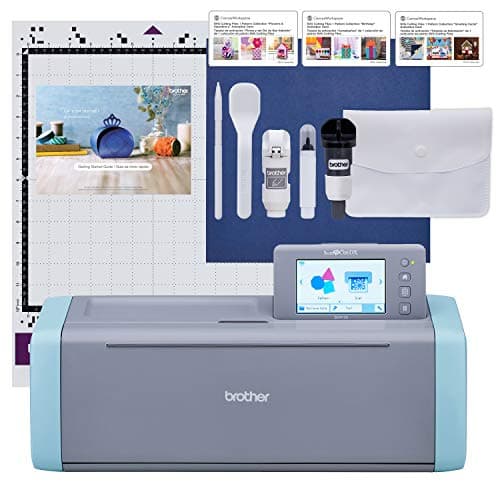
Brother ScanNCut SDX125E: built-in scanner, 3 mm cutting
From Best Cricut Maker alternatives from Brother, Silhouette and Siser