Gear guide
Best cutting machines for stickers and print then cut
Picked from Amazon listings, not hands-on tests. How we pick
Top picks at a glance
Compare all picks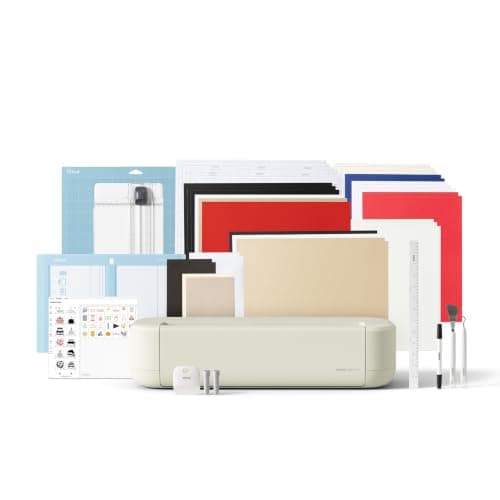
Closest match for the job
Cricut Explore 5 Essential Bundle: print then cut, 12 in
Lowest price of the full-size Cricuts here while keeping the 12 in (30.5 cm) cutting width.
See price on AmazonSee it on Amazon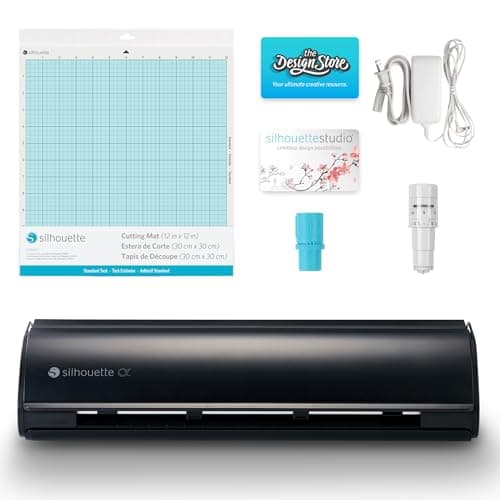
Most for the money on paper
Silhouette Cameo 5 Alpha: 4-point registration
Materials up to 3 mm thick, including fabric and heat transfer, according to the listing.
See price on AmazonSee it on Amazon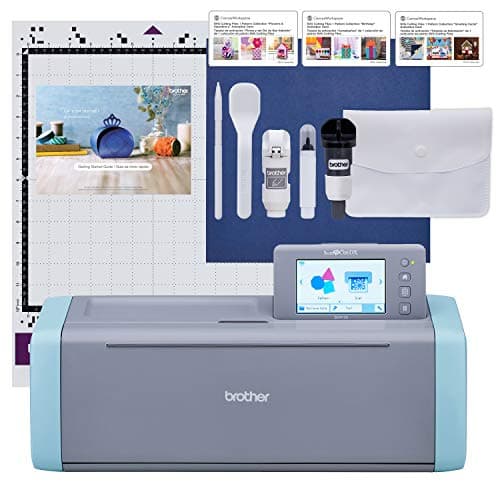
Most complete listing
Brother SDX125E: scanner cuts printed stickers directly
The auto blade detects material thickness with no blade adjustment or material selection, per the listing.
See price on AmazonSee it on Amazon
Sticker cutting comes down to one step: the machine has to find the printed image and cut around it accurately. Cricut and Silhouette machines read registration marks printed by your inkjet printer. Siser Romeo uses a camera, Brother ScanNCut scans the printed sheet, and USCutter's shop plotters use laser-guided ARMS contour cutting. The method affects how many stickers you can cut per sheet and how reliably cuts line up, which matters once you sell stickers. Cut width sets how large a sheet or roll you can run, and the included materials tell you whether you can start right away. This guide compares seven machines on print then cut method, cut width, material thickness, software and included sticker materials, using only what each Amazon listing states. Specs a listing leaves out are marked Not stated.
Compare the picks
- Cricut Explore 5 Essential Bundle: print then cut, 12 in
- Print then cut
- Yes, with inkjet printer
- Max cut width
- 12 in
- Max material thickness
- Not stated
- Software
- Cricut Design Space (free app)
- Brother SDX125E: scanner cuts printed stickers directly
- Print then cut
- Yes, built-in scanner
- Max cut width
- Not stated
- Max material thickness
- 3 mm
- Software
- On-screen editing, 5 in touch screen
- Silhouette Cameo 5 Alpha: 4-point registration
- Print then cut
- Yes, 4-point registration
- Max cut width
- Not stated
- Max material thickness
- 3 mm
- Software
- Silhouette Studio
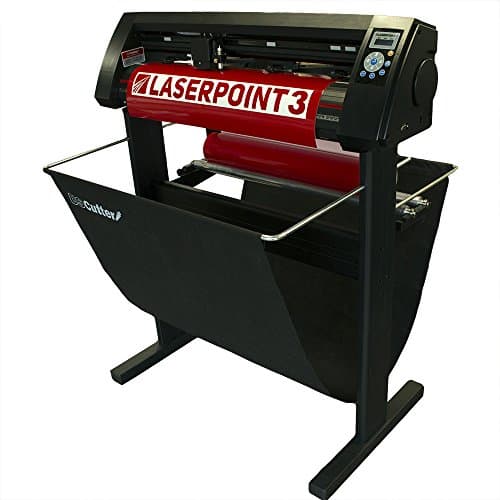 USCutter LaserPoint 3: 28 in ARMS contour cutting
- Print then cut
- Yes, ARMS laser-guided contour cutting
- Max cut width
- 28 in (per title)
- Max material thickness
- Not stated
- Software
- VinylMaster Cut (Windows only)
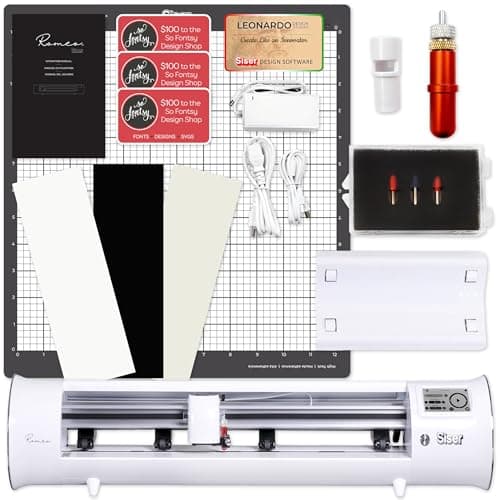 Siser Romeo 24 in: camera print and cut
- Print then cut
- Yes, integrated camera
- Max cut width
- 24 in
- Max material thickness
- Not stated
- Software
- Leonardo Design Studio (Mac and PC)
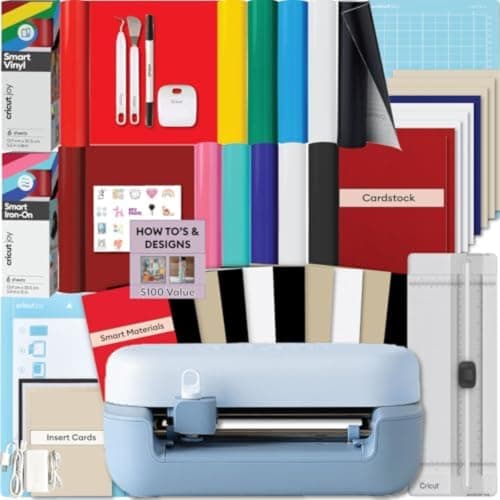 Cricut Joy 2 Essential Bundle: compact print then cut
- Print then cut
- Yes, with inkjet printer
- Max cut width
- Not stated
- Max material thickness
- Not stated
- Software
- Cricut Design Space (Bluetooth)
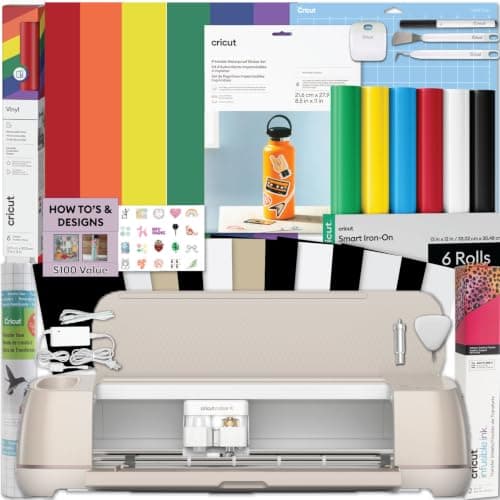 Cricut Maker 4 Sticker Bundle: sticker paper in the box
- Print then cut
- Yes, with inkjet printer
- Max cut width
- Not stated
- Max material thickness
- Not stated
- Software
- Cricut Design Space
| Pick | Print then cut | Max cut width | Max material thickness | Software | Price | Link |
|---|---|---|---|---|---|---|
| Cricut Explore 5 Essential Bundle: print then cut, 12 in | Yes, with inkjet printer | 12 in | Not stated | Cricut Design Space (free app) | - | Amazon |
| Brother SDX125E: scanner cuts printed stickers directly | Yes, built-in scanner | Not stated | 3 mm | On-screen editing, 5 in touch screen | - | Amazon |
| Silhouette Cameo 5 Alpha: 4-point registration | Yes, 4-point registration | Not stated | 3 mm | Silhouette Studio | - | Amazon |
| USCutter LaserPoint 3: 28 in ARMS contour cutting | Yes, ARMS laser-guided contour cutting | 28 in (per title) | Not stated | VinylMaster Cut (Windows only) | - | Amazon |
| Siser Romeo 24 in: camera print and cut | Yes, integrated camera | 24 in | Not stated | Leonardo Design Studio (Mac and PC) | - | Amazon |
| Cricut Joy 2 Essential Bundle: compact print then cut | Yes, with inkjet printer | Not stated | Not stated | Cricut Design Space (Bluetooth) | - | Amazon |
| Cricut Maker 4 Sticker Bundle: sticker paper in the box | Yes, with inkjet printer | Not stated | Not stated | Cricut Design Space | - | Amazon |
Facts are taken from each Amazon listing. Prices are checked daily and shown with their date.
The picks in detail
Pick 1 · Cricut
Cricut Explore 5 Essential Bundle: print then cut, 12 in
See price on AmazonThe newest Explore cuts 100+ materials at 12 inches wide, writes, draws, foils and scores. The Essential Bundle adds Smart Vinyl, Smart Iron-On, cardstock and insert cards. Best value for vinyl, shirts and cards.
What the listing offers
- Lowest price of the full-size Cricuts here while keeping the 12 in (30.5 cm) cutting width.
- Print Then Cut works with a home inkjet printer for full-color stickers and decals, according to the listing.
- Bluetooth connection to Design Space on mobile or desktop, with guided design flows and templates.
Limits to know
- Works with six tools, not the Maker's larger set, so no engraving or debossing for leather and wood.
- The listing gives no maximum material thickness, so check before planning chipboard or thick craft foam.
Pick 2 · Brother
Brother SDX125E: scanner cuts printed stickers directly
See price on AmazonThe core ScanNCut DX model with a built-in scanner, a self-adjusting auto blade and a 3 mm cut limit. The best value entry to the line for most crafters.
What the listing offers
- The auto blade detects material thickness with no blade adjustment or material selection, per the listing.
- Cuts up to 3 mm materials such as vinyl, fabric, balsa wood, chipboard, foam and felt.
- The scanner can directly cut printed stickers and place designs without counting blocks.
Limits to know
- Comes with a single 12 x 12 in standard tack mat, so fabric work needs a separate fabric mat or blade kit.
- The listing says it is for US 120 volt use only and other use voids the warranty.
Pick 3 · Silhouette America
Silhouette Cameo 5 Alpha: 4-point registration
See price on AmazonSilhouette's main 12 inch class machine handles vinyl to fabric up to 3 mm thick, with 4-point print and cut registration and speeds up to 400 mm/s. The cheapest way here to leave Design Space behind.
What the listing offers
- Materials up to 3 mm thick, including fabric and heat transfer, according to the listing.
- 4-point registration with vertical and horizontal correction for accurate print and cut stickers.
- Runs on Silhouette Studio software instead of Cricut Design Space.
Limits to know
- The listing does not state cut width or connection type.
- No engraving or debossing tool is mentioned, which the Maker line offers.
Pick 4 · USCutter
USCutter LaserPoint 3: 28 in ARMS contour cutting
See price on AmazonA 28 in roll-fed plotter with ARMS contour cutting for stickers, labels and printed heat transfer. For sellers who print on a separate printer and cut in volume.
What the listing offers
- ARMS automatic print and cut contour cutting with laser guidance is listed for stickers and labels.
- Grippier grit rollers are listed for better tracking on long cutting jobs.
- Stand, media basket and lifetime US-based phone support are included, per the listing.
Limits to know
- VinylMaster Cut is Windows only, according to the listing.
- Needs a separate printer that can handle roll or wide media, which this listing does not cover.
Pick 5 · Siser
Siser Romeo 24 in: camera print and cut
See price on AmazonA 24 inch cutter with an integrated camera for print and cut, a roll feeder and Leonardo Design Studio for Mac and PC. Twice the Maker's working width for vinyl and HTV shops.
What the listing offers
- 24 inch wide cutting doubles the working width of a 12 inch Maker for big decals and batches.
- Comes with two 45 degree blades, one 60 degree blade, a strong tack mat and a vinyl roll feeder.
- Bundle adds 300 So Fontsy designs with commercial use, per the listing.
Limits to know
- The listing does not state any thick material capability, so it does not replace the Maker for wood or leather.
- Connection type is not stated in this bundle's listing; check the product page.
Pick 6 · Cricut
Cricut Joy 2 Essential Bundle: compact print then cut
See price on AmazonThe next generation of Cricut's ultra-compact cutter. The listing says it works with 75+ materials, scores and foils, and now does full-color stickers with a home inkjet printer. Good for cards, labels and quick decals.
What the listing offers
- Works with 75+ materials, more than the Joy Xtra's stated 50+, and adds scoring for cards.
- Rainbow Essentials bundle includes Smart Vinyl, Smart Iron-On, cardstock, insert cards and printable vinyl.
- Bluetooth connection to Design Space on a phone or computer, according to the listing.
Limits to know
- Built for quick everyday projects, so it is not the machine for large shirt backs or thick materials.
- The listing does not state the cut width or thickness limit.
Pick 7 · Cricut
Cricut Maker 4 Sticker Bundle: sticker paper in the box
See price on AmazonA Maker 4 sold with waterproof printable sticker paper and adhesive vinyl for print then cut stickers. Built for sticker and label sellers.
What the listing offers
- Includes printable sticker paper and an adhesive vinyl sampler, per the listing.
- Print then cut with Design Space and an inkjet printer is the core of this bundle.
- The listing pitches it for Etsy sellers making stickers, labels and packaging designs.
Limits to know
- No heat press, and the price is close to the Maker 4 T-Shirt Bundle that does include one.
- Sticker material quantities are not stated in the listing.
Read before you buy
- Silhouette Cameo vs PortraitSilhouette Cameo vs Portrait compared on cut width, tool options, matless cutting and price, and the projects where the smaller Portrait 4 is enough.
- Silhouette Cameo not cutting or cutting badlySilhouette Cameo not cutting, cutting partly or tearing? Check cut lines in the Send panel, blade depth, AutoBlade, tool carriage, mat and rollers in order.
- Silhouette Cameo 5 vs Cameo 4Silhouette Cameo 5 vs Cameo 4: registration, speed, electrostatic mat support and tools compared, plus when a used Cameo 4 is still the smarter buy.
- Print then cut size limits and printer needsMaximum Print Then Cut sizes for Cricut Explore, Maker, Joy Xtra and Venture by page size, how Silhouette Print and Cut compares, and which printer you need.
- How to make stickers with a CricutMake stickers on a Cricut with print then cut: design, flatten, print with bleed, kiss cut sticker paper, and fix sensor problems caused by glare or glossy paper.
More gear: Cut settings and materials
Blade & Mat chooses every product independently from what its Amazon listing states. We may earn a commission from the links above. As an Amazon Associate I earn from qualifying purchases.