Comparison
Cricut Joy vs Joy Xtra
Published
Short answer
The Joy Xtra is the wider of the two original small Cricuts and adds print then cut for stickers, which the first Cricut Joy cannot do. Both take only the fine point blade, so neither cuts thick materials. The original Joy is no longer listed here; its closest current model is the Joy 2, which lists 75+ materials and print then cut.
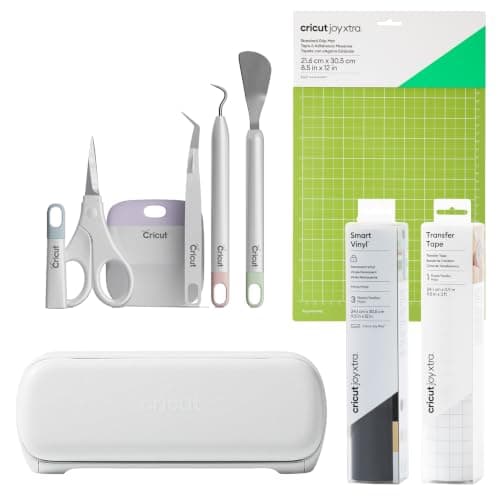
Cricut
Cricut Joy Xtra: compact cutter with Print Then Cut
See price on Amazon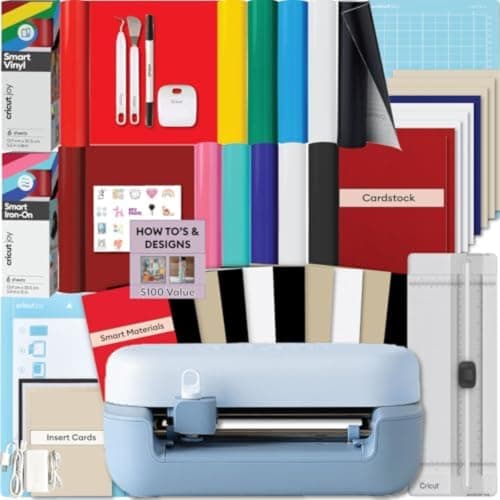
Cricut
Cricut Joy 2: compact cutter that scores and writes
See price on Amazon
- Cricut Joy Xtra: compact cutter with Print Then Cut
- Max cut width
- Not stated
- Cricut Joy 2: compact cutter that scores and writes
- Max cut width
- Not stated
| Pick | Max cut width | Price | Link |
|---|---|---|---|
| Cricut Joy Xtra: compact cutter with Print Then Cut | Not stated | - | Amazon |
| Cricut Joy 2: compact cutter that scores and writes | Not stated | - | Amazon |
Facts are taken from each Amazon listing. Prices are checked daily and shown with their date.
Verdict
Buy the Joy Xtra if you want wider cuts and stickers from a compact Cricut, or the Joy 2 if the bundle price is lower and you want the newest small model. Skip the original Joy unless you only need labels and cards, and move to an Explore or Maker for felt, fabric or wood.
The Cricut Joy family is for people who want a cutter that lives on a desk, not a craft table: cards, labels, small decals and stickers. This page compares the original Cricut Joy with the Joy Xtra, and because the original Joy is no longer sold in the listings we use, it also brings in the Joy 2 as the closest current model. You will see what the listings say about materials and print then cut, what all three share, and which project types push you past the Joy family entirely. If you are still choosing a tier, also read Cricut Joy vs Explore vs Maker.
What separates the Joy and Joy Xtra
The original Cricut Joy is the smallest Cricut. It is built for narrow work: name labels, card fronts, small vinyl decals. It uses a fine point blade and a pen, and it can cut Cricut Smart Materials without a mat. What it does not do is print then cut, so it cannot cut around printed sticker images.
The Joy Xtra keeps the same desk-friendly idea but cuts wider material, enough for a letter-size sheet, and its listing adds print then cut with most inkjet printers. That one feature is why most sticker makers pick the Xtra. The Joy Xtra listing says it works with 50+ materials and that it cuts, draws and foils.
- Original Joy: narrow cuts, no print then cut, fine point blade only.
- Joy Xtra: wider cuts, print then cut, fine point blade only, 50+ materials per its listing.
- Joy 2: listed as the next generation of the compact Joy, 75+ materials, print then cut, Bluetooth to Design Space.
Spec table from the listings
These rows come only from the current Amazon listings. The original Joy has no current listing in our product data, so it is described in the text above rather than in the table. Cricut's own spec pages give exact cut widths if you need them.
| Joy Xtra (B0CYPD34TQ) | Joy 2 (B0GSSFB7V2) | |
|---|---|---|
| Materials | 50+ including vinyl, iron-on, cardstock, stickers | 75+ including vinyl, iron-on, printable materials, cardstock |
| Print then cut | Yes, most inkjet printers | Yes, home inkjet printer |
| Other functions | Cuts, draws, foils | Writes, draws, foils, scores, cuts |
| Connection | Design Space, desktop and mobile | Bluetooth to Design Space |
| In the box | StandardGrip mat, Smart Vinyl sampler, transfer tape, 5-piece tools | Smart Vinyl, Smart Iron-On, cardstock, insert cards, printable vinyl |
| Listed price | $199.00 | $169.99 |
Note.Bundles change contents and price often. Compare what is in the box, not only the machine name.
Blades and materials: the shared limit
Every Joy model takes only the fine point blade. That covers adhesive vinyl, iron-on, printable vinyl, copy paper and cardstock up to about 80 lb. It does not cover glitter cardstock, chipboard, felt, basswood or leather, which need the deep point, rotary or knife blade on an Explore or Maker. Our cut settings finder returns not supported for thick materials on the Joy for this reason.
If you see yourself making felt ornaments, wood signs or fabric pieces, the Joy family is the wrong starting point. The best Cricut machine guide covers the Explore and Maker models that take more blades.
Print then cut: why it decides most purchases
Print then cut works like this: Design Space adds a registration box around your design, you print it on an inkjet printer, and the machine's sensor reads the box before cutting around each image. It is how people make full-color stickers, planner labels and printed iron-on at home.
The original Joy does not offer it. The Joy Xtra and Joy 2 do. If stickers are on your list, that rules out the original Joy straight away. The printable area is smaller than the sheet because of the registration box and margins; see print then cut size limits and how to make stickers with Cricut.
Which projects fit each machine
For iron-on shirt work, the cut width limits how big a single piece of HTV can be. Our shirt decal size chart shows typical decal widths for kids and adult shirts. If shirts are the main goal, see best cutting machines for T-shirts.
| Project | Original Joy | Joy Xtra | Joy 2 |
|---|---|---|---|
| Pantry and name labels | Yes | Yes | Yes |
| Insert cards | Yes | Yes | Yes |
| Full-color stickers | No | Yes | Yes |
| Small iron-on decals for kids shirts | Yes | Yes | Yes |
| Adult shirt front decals | Limited by width | Usually | Check width |
| Felt, chipboard, wood | No | No | No |
How to choose
Having trouble with an existing Joy? See Cricut Joy not working before replacing it.
- 1
Want stickers? Skip the original Joy. Pick the Joy Xtra or Joy 2.
- 2
Want only labels and cards on a tight budget? A used original Joy can still do it, but check the mat and blade condition.
- 3
Want the newest small Cricut? The Joy 2 listing lists more materials (75+) than the Joy Xtra listing (50+).
- 4
Want felt, fabric or wood? Move up to an Explore or Maker; no Joy model can cut them.
- 5
Compare bundle contents. A bundle with a mat, transfer tape and vinyl saves buying them separately.
Frequently asked questions
Can the Cricut Joy do print then cut? The original Cricut Joy cannot. The Joy Xtra and the Joy 2 both list print then cut with a home inkjet printer.
Can the Joy Xtra use the deep point or knife blade? No. All Joy models take only the fine point blade, so thick materials are not supported.
Is the Joy 2 the same as the Joy Xtra? No. The Joy 2 is listed as the next generation of the compact Joy, with 75+ materials and Bluetooth. The Joy Xtra is a separate, wider model listed with 50+ materials.
Do Joy mats fit other Cricuts? Joy family mats are sized for the Joy machines and do not fit the Explore or Maker. Check the mat listing for which Joy model it fits.
What you need for this
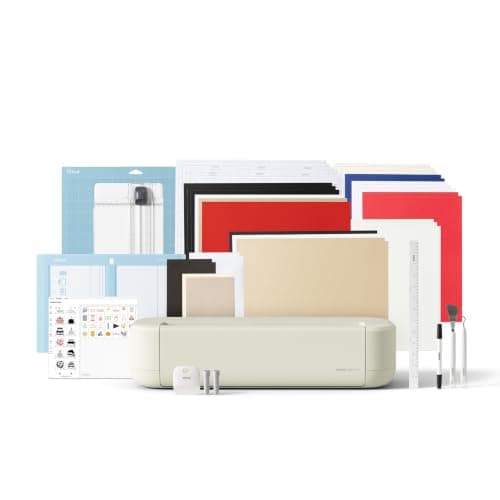 See price on AmazonAmazon
Cricut Explore 5: scores and writes, 12 in width
From Best Cricut machines, from Joy 2 and Joy Xtra to Maker 5