Comparison
Cricut Maker 4 vs Maker 3 vs original Maker
Published
Short answer
The Maker 3 and Maker 4 share the same core: the adaptive tool system, 300+ materials and matless cutting of Cricut Smart Materials. The original Maker has the same blades and tools but needs a mat for everything. If you own a Maker 3, an upgrade changes little. If you own an original Maker and cut a lot of vinyl or iron-on, matless cutting is the reason to move up.
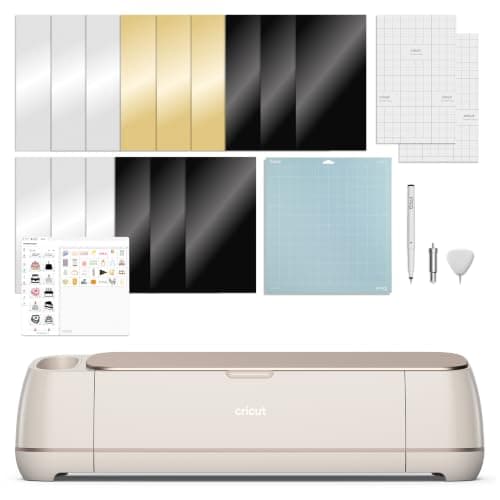
Cricut
Cricut Maker 4: leather and wood, engraves and debosses
See price on Amazon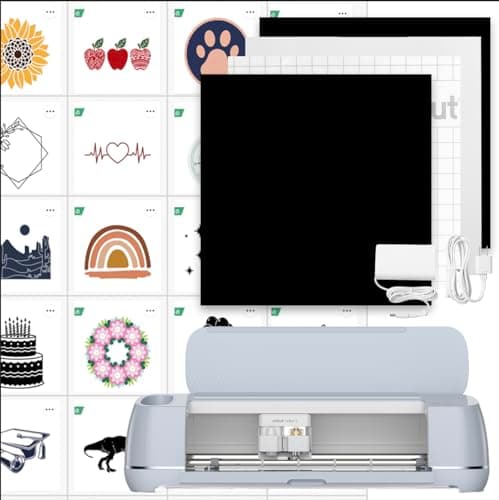
Cricut
Cricut Maker 3: 10X cutting force per title
See price on Amazon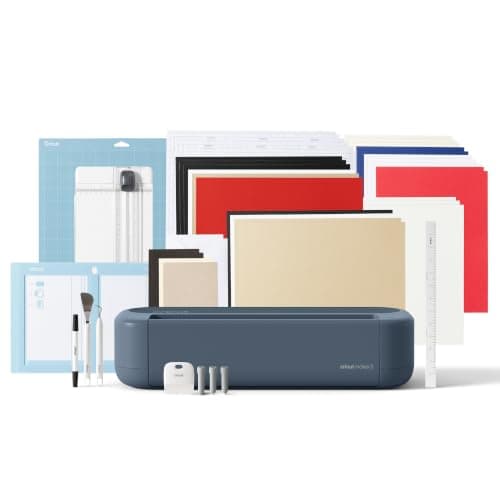
Cricut
Cricut Maker 5 Essential Bundle with Scoring Tool
See price on Amazon
- Cricut Maker 4: leather and wood, engraves and debosses
- Max material thickness
- Not stated
- Max cut width
- Not stated
- Blades/tools
- Fine-Point Blade; draws, foils, scores, engraves, debosses
- Software
- Cricut Design Space
- Cricut Maker 3: 10X cutting force per title
- Max material thickness
- Not stated
- Max cut width
- Not stated
- Blades/tools
- Compatible with 13+ tools
- Software
- Cricut Design Space
- Cricut Maker 5 Essential Bundle with Scoring Tool
- Max material thickness
- -
- Max cut width
- 12 in (30.5 cm)
- Blades/tools
- -
- Software
- -
| Pick | Max material thickness | Max cut width | Blades/tools | Software | Price | Link |
|---|---|---|---|---|---|---|
| Cricut Maker 4: leather and wood, engraves and debosses | Not stated | Not stated | Fine-Point Blade; draws, foils, scores, engraves, debosses | Cricut Design Space | - | Amazon |
| Cricut Maker 3: 10X cutting force per title | Not stated | Not stated | Compatible with 13+ tools | Cricut Design Space | - | Amazon |
| Cricut Maker 5 Essential Bundle with Scoring Tool | - | 12 in (30.5 cm) | - | - | - | Amazon |
Facts are taken from each Amazon listing. Prices are checked daily and shown with their date.
Verdict
Buy whichever of the Maker 4 or Maker 3 is cheaper with the bundle you need; they cut the same materials and both handle Smart Materials without a mat. Original Maker owners who cut long vinyl or iron-on runs gain the most from upgrading, while paper and fabric crafters can keep their machine.
This page is for two kinds of readers: people choosing between a new Maker 4 and a discounted Maker 3, and owners of an older Maker wondering whether a newer one changes anything. It compares what the current listings say about each machine, explains the one feature that really separates the original Maker from the later two, and covers blades, materials, print then cut and price. It also notes where the newer Maker 5 fits, since it now appears in Cricut bundles. Spec facts here come from the product listings; where a listing is silent we say so instead of guessing.
The short version
All three Maker generations use the same idea: a 12-inch-class cutter with an adaptive tool system that can drive the rotary blade for fabric and the knife blade for thick materials like basswood, chipboard and tooling leather. That is what makes a Maker a Maker, and it is what separates it from the Explore line. If you want to know whether you need a Maker at all, start with Cricut Maker vs Explore.
The jump that matters is from the original Maker to the Maker 3. The Maker 3 listing says it can cut Cricut Smart Materials without a mat, a single image up to 12 ft or repeated cuts up to 75 ft in one go. The original Maker always needs a mat, which limits a vinyl or iron-on cut to the mat length. The step from Maker 3 to Maker 4 is much smaller: same material count in the listings, same matless Smart Materials support, same Design Space software.
Spec table from the listings
The table below uses only what the current Amazon listings state. Cricut listings focus on features rather than numbers, so several cells say not stated. Check Cricut's own spec page before you buy if a number such as cut speed matters to you.
| Maker 4 (B0DTQBZ3J3) | Maker 3 (B0BJH68KGL) | Maker 5 (B0HDRJGM6V) | |
|---|---|---|---|
| Materials | 300+ including leather, wood, vinyl, iron-on, cardstock | 300+ | 300+, thicker materials up to 3 mm |
| Matless Smart Materials | Matless vinyl and HTV included in sampler | Yes, single image up to 12 ft, repeats up to 75 ft | Not stated in listing |
| Tools | Cuts, draws, foils, scores, engraves, debosses, perforates | 13+ tools | 13 tools, snap-in pen holder |
| Print then cut | Yes, most inkjet printers | Not stated in listing | Printable vinyl in bundle |
| Speed and force claim | Not stated in listing | 2X faster and 10X cutting force (title) | Not stated in listing |
| In the box | Fine point blade, LightGrip mat, pen, weeder, sampler | Machine and 30-image digital bundle | Fine point, scoring and engraving tools, materials |
| Listed price | $329.00 | $372.61 | $399.00 |
Note.Prices change often. The figures above are the listed prices at the time of writing, not a guarantee.
Original Maker: what it still does well
The original Maker is not listed for sale here, so there is no ASIN for it. It still cuts the same range of materials with the same blades: fine point, deep point, rotary, knife, scoring wheel, engraving, debossing and perforation tips all fit the adaptive housing. For cardstock, felt, fabric and thick materials, an original Maker in good shape does the same job as a Maker 3.
Where it falls behind is long work. Every cut sits on a 12x12 or 12x24 mat, so a long banner or a run of 30 decals means several mat loads. It also cannot use Smart Materials matless; you can still load regular vinyl on a mat. If you mostly cut paper and fabric, keep it. If most of your work is vinyl and iron-on in long runs, the matless feature saves real time.
- Keep the original Maker if: you cut paper, cards, fabric, felt or wood on a mat anyway.
- Upgrade if: you cut long vinyl decals, signs or repeated HTV designs and want to skip the mat.
- Check first: that your mats are still sticky and the blade is fresh. A worn blade or mat causes many problems people blame on the machine. See Cricut mat not sticky.
Maker 3 vs Maker 4: the small differences
On paper the Maker 3 and Maker 4 overlap almost completely. Both cut 300+ materials, both accept the adaptive tools, and both read Smart Materials without a mat. The Maker 4 listing leads with print then cut support for most inkjet printers and a matless vinyl and HTV sampler in the box. The Maker 3 listing leads with matless length and a 2X faster, 10X force claim in its title.
The Maker 4 listing does not give a cut speed figure, so speed is not something we can compare from the listings. In daily use both machines run the same Design Space app, the same blades and the same mats. For most crafters the deciding factor is price and the bundle contents, not the generation.
Blade and mat compatibility carries across. A rotary blade or knife blade bought for an original Maker fits the Maker 3 and Maker 4. That makes an upgrade cheaper than it looks if you already own tools. For a full rundown of which tip does what, see Cricut blades explained.
Settings stay the same across Makers
Because the three Makers share blades and the adaptive housing, cut settings are the same. Adhesive vinyl, iron-on (mirrored, shiny side down) and cardstock up to 80 lb use the fine point blade on a standard or light grip mat. Glitter cardstock, heavy cardstock over 80 lb and stiffened felt move to the deep point blade with more pressure. Basswood up to 2.4 mm, chipboard up to 2 mm and tooling leather up to about 2.4 mm need the knife blade, a strong grip mat taped down, and the multiple passes Design Space sets. Unbacked fabric and felt use the rotary blade on the pink fabric grip mat.
Our cut settings finder gives these starting points by material. Whatever the machine, cut a small test shape first and change one setting at a time.
Which one to buy
For thick materials such as basswood and leather, any Maker works; our best cutting machines for wood, leather and chipboard guide lists the machines with the force for it.
- 1
If you have no Maker yet, compare the Maker 4 and Maker 3 bundle prices on the day. The cheaper one with the accessories you need is the better buy.
- 2
If you have a Maker 3, skip the upgrade unless the newer model's bundle includes tools you would buy anyway.
- 3
If you have an original Maker and cut mostly vinyl or iron-on, a Maker 3 or Maker 4 saves mat loads on long jobs.
- 4
If you want the newest model and the smallest footprint, the Maker 5 listing says it is 30% more compact than previous models with the same 12 in cutting.
- 5
If you mostly cut cardstock and vinyl and never touch wood or fabric, look at the Explore line in our best Cricut machine guide instead.
Frequently asked questions
Can the original Cricut Maker cut without a mat? No. The original Maker needs a mat for every cut. Matless cutting of Cricut Smart Materials arrived with the Maker 3 and carries over to the Maker 4.
Do Maker 3 blades fit the Maker 4? Yes. The Maker family shares the adaptive tool system, so the rotary blade, knife blade, scoring wheel and other tips fit all three generations.
Is the Maker 4 worth it over a discounted Maker 3? Only if the price is close. The listings show the same material count and matless support, so the bundle and price usually decide it.
Do I need Cricut Access with a Maker? No. Design Space is free to use with your own designs and the free image library. Access is an optional subscription; see do you need Cricut Access.
What you need for this
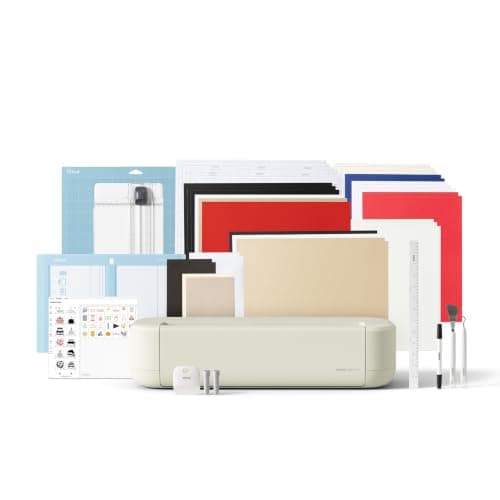 See price on AmazonAmazon
Cricut Explore 5: scores and writes, 12 in width
From Best Cricut machines, from Joy 2 and Joy Xtra to Maker 5
- See price on AmazonAmazon
Cricut Maker 5 Essential Bundle with Scoring Tool
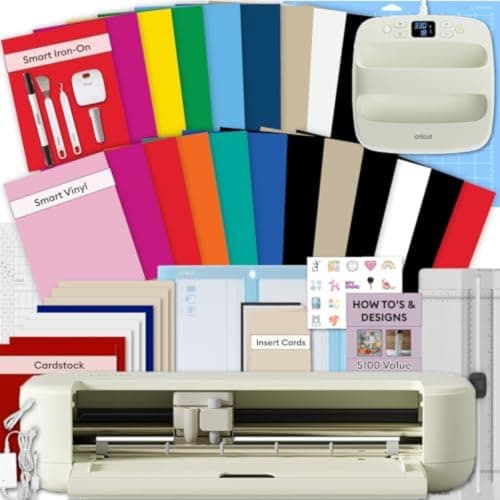 See price on AmazonAmazon
Explore 5 Essential Bundle + EasyPress 9x9
From Best Cricut bundles worth buying, with and without a heat press