Comparison
Cricut Maker vs Explore: which should you buy
Published
Short answer
Buy the Explore if you mostly cut vinyl, iron-on, cardstock and printable stickers. Buy the Maker if you want to cut unbacked fabric with the rotary blade, or thick materials like basswood, chipboard and tooling leather with the knife blade. Both are 12 inch machines that use Design Space, so the deciding question is which materials you plan to cut, not how serious a crafter you are.
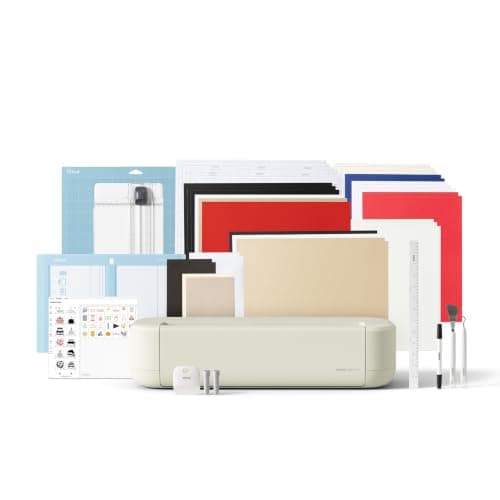
Cricut
Cricut Explore 5: scores and writes, 12 in width
See price on Amazon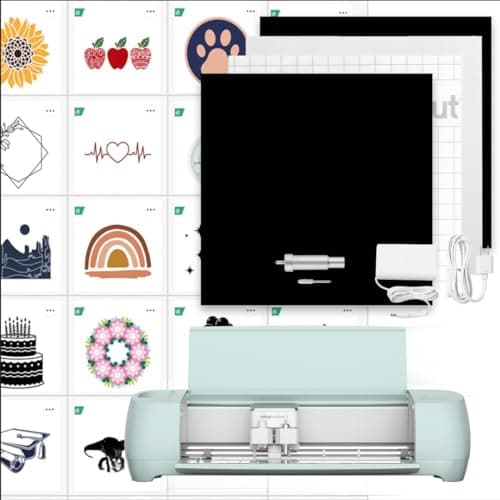
Cricut
Cricut Explore 3: matless Smart Materials up to 12 ft
See price on Amazon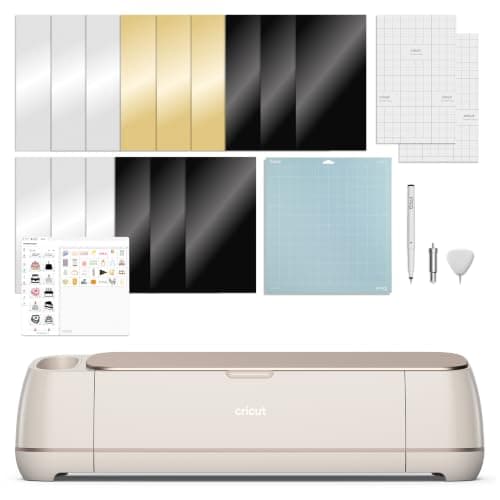
Cricut
Cricut Maker 4: leather and wood, engraves and debosses
See price on Amazon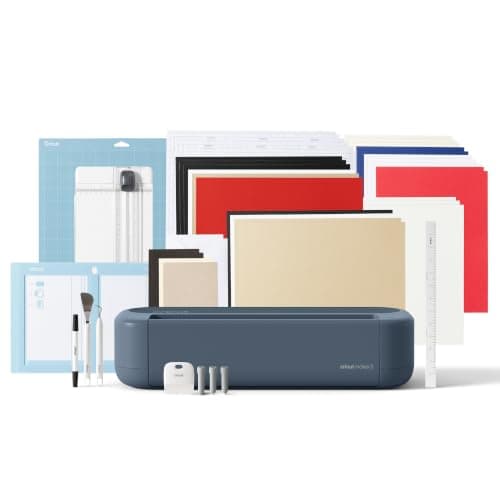
Cricut
Cricut Maker 5 Essential Bundle with Scoring Tool
See price on Amazon
- Cricut Explore 5: scores and writes, 12 in width
- Max cut width
- 12 in (30.5 cm)
- Cricut Explore 3: matless Smart Materials up to 12 ft
- Max cut width
- Not stated
- Cricut Maker 4: leather and wood, engraves and debosses
- Max cut width
- Not stated
- Cricut Maker 5 Essential Bundle with Scoring Tool
- Max cut width
- 12 in (30.5 cm)
| Pick | Max cut width | Price | Link |
|---|---|---|---|
| Cricut Explore 5: scores and writes, 12 in width | 12 in (30.5 cm) | - | Amazon |
| Cricut Explore 3: matless Smart Materials up to 12 ft | Not stated | - | Amazon |
| Cricut Maker 4: leather and wood, engraves and debosses | Not stated | - | Amazon |
| Cricut Maker 5 Essential Bundle with Scoring Tool | 12 in (30.5 cm) | - | Amazon |
Facts are taken from each Amazon listing. Prices are checked daily and shown with their date.
Verdict
Choose the Explore 5 if your projects are vinyl, iron-on, cards and stickers; it covers those for less money. Choose a Maker 4 or Maker 5 if you will cut unbacked fabric, felt, basswood, chipboard or leather, or want engraving, because only the Maker runs those tools.
The Cricut Explore and Cricut Maker look alike, use the same app and cut the same everyday materials. The difference is the tool system. The Maker line has the adaptive tool system that drives the rotary blade, knife blade and other Maker-only tools, while the Explore line sticks to drag-style blades and pens. This page is for buyers choosing between the current Explore and Maker models, or between a new Explore and a used Maker. It covers what each family cuts, a spec table built from current listings, the projects that truly need a Maker, and a clear verdict.
The short difference: the adaptive tool system
Both families cut, draw, score and foil. Both handle vinyl, iron-on, cardstock, printable sticker paper and Cricut Smart Materials without a mat on current models. If that list covers your projects, an Explore does the job and costs less.
The Maker adds a powered tool housing that steers and drives tools from the top. That is what lets it use the rotary blade for unbacked fabric and the knife blade for basswood, chipboard and tooling leather. Those tools do not fit the Explore. The Explore can cut bonded fabric with the bonded fabric blade and handles thicker cardstock and magnet sheet with the deep point blade, but it cannot do raw cotton for quilting or thick wood. Our Cricut blades explained page shows which blade fits which machine.
Spec table from current listings
The table uses only what the Amazon listings state. Prices are listing prices at the time of writing and change often, and bundles add materials and tools to the base machine. A dash means the listing does not state that detail, not that the machine lacks it.
| Model (listing) | Materials claimed | Tools | Matless / long cuts | Listed price |
|---|---|---|---|---|
| Cricut Explore 5 Essential Bundle | 100+ materials | Six tools, including Deep Cutting Tool sold separately | - | $199.00 |
| Cricut Explore 3 Digital Content Bundle | 100+ materials | Premium Fine-Point Blade included | Smart Materials up to 12 ft without a mat | $314.20 |
| Cricut Maker 4 Digital Content Bundle | 300+ materials incl. leather and wood | Cuts, draws, foils, scores, engraves, debosses, perforates | Matless Vinyl and Matless HTV included in sampler | $329.00 |
| Cricut Maker 5 Essential Bundle | 300+ materials, thick materials up to 3 mm | Works with 13 tools, engraves up to 3 mm | - | $399.00 |
Note.Listings change. Check the current listing for what is in the box before you buy, since bundle contents differ from the machine-only package.
Projects an Explore handles well
Most first projects fall in the Explore's range: vinyl decals for tumblers and car windows, iron-on for shirts and totes, layered cardstock cards, labels and full-color stickers with Print Then Cut. The Explore 5 listing states it precision-cuts 100+ materials and writes, draws, foils and scores. For those jobs the Maker is not faster or cleaner in any way that matters to a hobbyist.
Starting settings for these materials come from the cut settings finder: fine point blade, light grip mat for paper and standard grip for vinyl, default pressure, then a small test cut. Glitter cardstock, heavy cardstock over 80 lb and magnet sheet move to the deep point blade with more pressure, which the Explore supports.
- Adhesive vinyl decals, labels and stencils
- Iron-on for shirts, bags and pillow covers (mirror the design)
- Cards and paper crafts in cardstock up to 80 lb with the fine point blade
- Print Then Cut stickers on printable vinyl or sticker paper
- Bonded fabric with the bonded fabric blade
Projects that need a Maker
Quilters and sewists are the clearest Maker buyers. The rotary blade on a pink FabricGrip mat cuts unbacked cotton and felt without stabilizer, which saves a lot of prep. See how to cut fabric with a Cricut Maker for the workflow.
The other group is anyone cutting thick, rigid material. The site's cut settings data puts basswood up to 2.4 mm, chipboard up to 2 mm and tooling leather up to about 2.4 mm on the knife blade, Maker family only, with a strong grip mat taped down and multiple passes. The Maker 5 listing also mentions engraving materials up to 3 mm such as metal and acrylic. Our how to cut wood with Cricut page explains the limits.
| Material | Explore | Maker |
|---|---|---|
| Vinyl, iron-on, cardstock | Yes, fine point blade | Yes, fine point blade |
| Glitter or heavy cardstock, magnet sheet | Yes, deep point blade | Yes, deep point blade |
| Unbacked cotton and felt | No, needs backed fabric | Yes, rotary blade |
| Basswood, chipboard, tooling leather | No | Yes, knife blade |
| Engraving, debossing, perforating | No | Yes, with Maker tools |
Price, bundles and the used market
At current listing prices the Explore 5 Essential Bundle is the cheapest way into a 12 inch Cricut, and Maker bundles cost more before you add the rotary or knife blade, which are separate purchases on most Maker packages. If you are not sure you will cut fabric or wood, the Explore saves money now and you can sell it later.
A used Maker can be a good buy, because the adaptive tool system is the expensive part and it does not wear out the way blades do. Check that the machine powers on, connects to Design Space and comes with a working fine point blade. Avoid paying near new price for an older model when a new Explore covers your materials. Our which Cricut machine do I have page helps you identify a used unit, and best Cricut bundles lists the packages worth their markup.
Both families use the free Design Space app. A Cricut Access subscription is optional on either one and does not change which materials you can cut.
How to decide in three questions
Size and space do not decide this one, since both are 12 inch machines. If you also want a press for shirts, compare the best heat presses for T-shirts before choosing a bundle, because a separate press is sometimes better value than a bundled one. If you are new to all of this, our best cutting machines for beginners guide puts the Explore and Maker next to the Joy and Silhouette options.
- 1
Will you cut unbacked fabric or felt for quilting or sewing? If yes, buy a Maker.
- 2
Will you cut basswood, chipboard or thick leather, or engrave? If yes, buy a Maker.
- 3
If both answers are no, buy an Explore and spend the difference on materials, a heat press or a second mat.
Frequently asked questions
Can a Cricut Explore cut fabric? It can cut fabric with an iron-on backing or stabilizer using the bonded fabric blade. Unbacked fabric and felt need the Maker's rotary blade.
Can a Cricut Explore cut wood? Not basswood or chipboard. The knife blade that cuts those works only in Maker machines. The Explore can cut thin materials like cork and heavy cardstock with the deep point blade.
Is the Maker harder to use than the Explore? No. Both use Design Space and the same basic workflow. The Maker just has extra tools you can ignore until you need them.
Do both cut without a mat? Current models of both families cut Cricut Smart Materials without a mat. Regular vinyl, cardstock and fabric still go on a mat.
What you need for this
- See price on AmazonAmazon
Cricut Explore 5: scores and writes, 12 in width
From Best Cricut machines, from Joy 2 and Joy Xtra to Maker 5
- See price on AmazonAmazon
Cricut Maker 5 Essential Bundle with Scoring Tool