Explainer
Vinyl cutter file formats: SVG, DXF, EPS and PLT
Published
Short answer
Cutters need vector cut lines. SVG is the most widely accepted format for hobby cutters: Cricut Design Space and Silhouette Studio Designer Edition and above import it. DXF works in nearly every program, including Silhouette Studio Basic. Sign software for vinyl plotters opens SVG, EPS, AI, PDF and DXF and sends PLT (HPGL) commands to the plotter. Photos and PNGs must be traced into vectors first.
Gear for this job
All 7 picks compared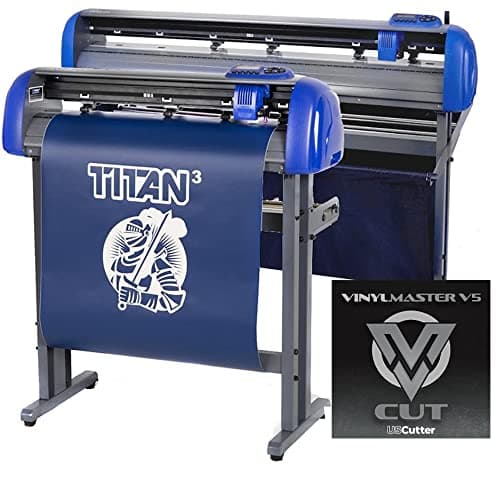
USCutter Titan 3 28 in: servo, 750g, ARMS contour
See price on AmazonSee it on Amazon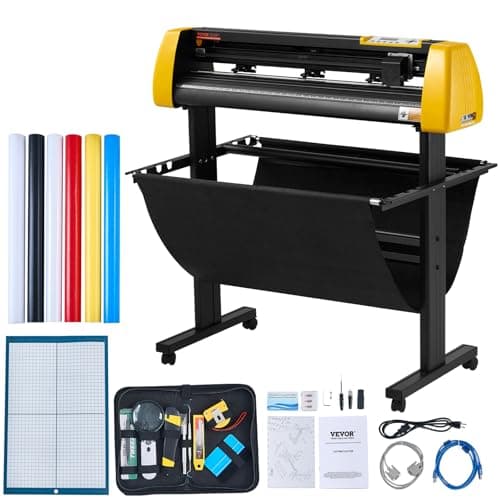
VEVOR 34 in camera contour cutter: 500g, 800 mm/s
See price on AmazonSee it on Amazon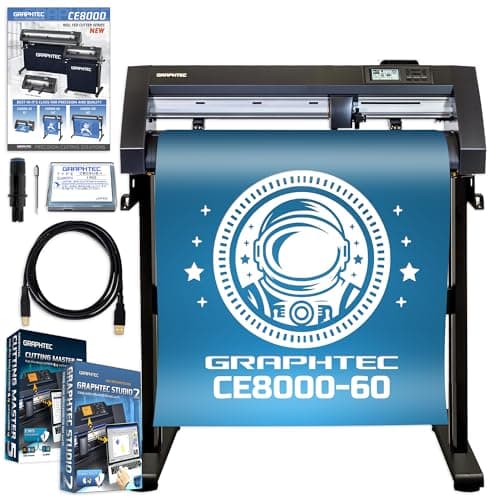
Graphtec CE8000-60 Plus: 24 in industrial plotter
See price on AmazonSee it on Amazon
A cutting machine does not print an image; it follows lines. That is why file formats matter: the right file gives the software clean paths to cut, and the wrong one gives it a picture it has to trace or cannot use at all. This page is for crafters and small shops buying designs or making their own. It explains vector and raster files, what each common format is for, which programs accept which, and how to convert artwork into cut lines. For software options, see free vinyl cutter software and Silhouette Studio editions explained.
Vector vs raster: why cutters need vectors
A vector file stores shapes as paths: lines and curves defined by points. A cutter can follow those paths directly, at any size, with smooth edges. SVG, DXF, EPS, AI and PDF can all contain vectors.
A raster file stores a grid of colored pixels: PNG, JPG, BMP, GIF. It has no paths, so the software must trace the outline of the shapes to create cut lines. Tracing works well on clean, high contrast art and poorly on photos, gradients and blurry images. Raster files are still useful for print then cut, where the image is printed and the cutter only cuts around it.
The common formats
| Format | Type | Typical use | Notes |
|---|---|---|---|
| SVG | Vector | Most hobby cut files | Widely accepted; can hold layers and colors |
| DXF | Vector | CAD exchange, cut files for basic software | Opens almost everywhere; curves may be split into many small segments |
| EPS | Vector (can hold raster) | Print and sign shops | Common in sign software; less common in hobby apps |
| AI | Vector | Adobe Illustrator native | Opens in Illustrator and many sign programs |
| Vector or raster | Designs and printables | Only vector PDFs give cut lines | |
| PLT / HPGL | Plotter commands | Output sent to plotters | Not a design format; it is the instruction file for the cutter |
| STUDIO / STUDIO3 | Vector | Silhouette Studio native | Opens only in Silhouette Studio |
| FCM | Vector | Brother ScanNCut native | Created by CanvasWorkspace or the machine |
| PNG, JPG | Raster | Print then cut, tracing | Needs tracing for plain cuts; PNG keeps transparency |
What each machine and program accepts
| Software | Vector formats | Raster formats |
|---|---|---|
| Cricut Design Space | SVG, DXF | PNG, JPG, BMP, GIF and others |
| Silhouette Studio Basic | DXF and Studio files | PNG, JPG, BMP and others |
| Silhouette Studio Designer and above | Adds SVG and PDF | Same as Basic |
| Brother CanvasWorkspace | SVG and others, saved as FCM for the machine | PNG, JPG and others |
| Sign software for plotters (SignMaster, VinylMaster, Sure Cuts A Lot) | SVG, EPS, AI, PDF, DXF (varies by program) | Most, with tracing tools |
| Inkscape (free) | SVG native; opens EPS, PDF, DXF | Most, with a trace tool; can save HPGL |
Note.Supported formats change with software updates and editions. Check the current documentation for your program before buying files in a format you have not used.
How cut files reach a vinyl plotter
Roll-fed plotters from brands such as Vevor, USCutter and Roland do not open SVG files on their own. The design goes into cutting software, which converts the paths into plotter commands (usually HPGL, saved as PLT) and sends them over USB or serial. That is why a plotter that says it takes SVG really means its bundled software does.
If you buy a budget plotter, check which software it ships with and whether it supports your design formats. Our guide to setting up a Vevor vinyl cutter covers the software side, and how does a vinyl cutter work explains the hardware.
Turning artwork into cut lines
- 1
Start with the cleanest art you have: a vector file if possible, or a large, sharp PNG with solid colors and no shadows.
- 2
In your cutting software, use the trace tool (Trace in Silhouette Studio, the upload cleanup in Cricut Design Space, Trace Bitmap in Inkscape).
- 3
Adjust the threshold until the outline follows the shapes without speckles. Remove the background.
- 4
Check the result in outline view. Delete stray points, small islands and overlapping paths that would cut twice.
- 5
Weld overlapping letters in script fonts so they cut as one shape.
- 6
Save in your software's native format, and export SVG or DXF if you need the file elsewhere.
- 7
Cut a small test before the full job.
Common file problems and fixes
- SVG imports as one solid block: the file has filled shapes with no separate layers. Ungroup it, or use slice and contour tools to separate parts.
- Design cuts twice: overlapping duplicate paths. Remove duplicates and weld overlapping shapes.
- DXF has jagged curves: some exporters convert curves to short straight lines. Re-export with higher curve quality or use SVG.
- File is the wrong size: SVG and DXF files can lack a size unit. Check the dimensions after import and resize.
- PDF imports as a picture: it contains raster artwork, not vectors. Trace it or get a vector version.
- Silhouette Basic will not open an SVG: SVG import needs the Designer Edition or above; DXF works in Basic.
Formats for a small business
If you sell decals or shirts, keep a master copy of every design in SVG or your program's native format, and export from that. Buying design bundles that include SVG, DXF, EPS and PNG covers nearly every machine. Licenses matter too: many file sellers allow personal use only, or limit commercial use, so read the license before selling products made from purchased files.
When you outgrow a hobby cutter, our guides to the best vinyl cutters for a small business and vinyl shirt business equipment cover the next step. The craft cutter vs vinyl plotter comparison explains the software differences.
Frequently asked questions
What file format do vinyl cutters use? Design files are usually SVG, DXF, EPS or AI. The cutting software converts them into plotter commands, often HPGL saved as PLT, which the cutter actually follows.
Which vinyl cutters take SVG? Cricut Design Space imports SVG, as does Silhouette Studio Designer Edition and above, Brother CanvasWorkspace, and most sign software used with roll-fed plotters.
Can I cut a JPG or PNG? Yes, after tracing it into a cut line, or with print then cut where the image is printed and the cutter cuts around it.
What is a PLT file? A plotter file containing HPGL commands: moves and cuts the machine follows. It is generated by cutting software rather than used as a design format.