Comparison
Silhouette Cameo Pro MK II vs Cricut Venture
Published
Short answer
Both are 24 inch craft cutters for people who have outgrown 12 inch machines. The Cameo Pro MK II lists cuts up to 60 ft, a dual carriage, a roll feeder and a 24 x 24 inch mat at $499.99, and runs Silhouette Studio, which you buy once. The Venture runs Cricut Design Space and suits shops already using Cricut materials. Pick by software ecosystem first, then by how much you cut from long rolls.
Silhouette America
Silhouette Cameo Pro MK II: 24 in and dual carriage
See price on Amazon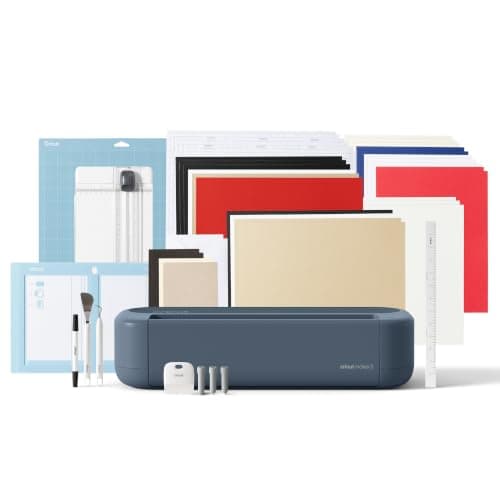
Cricut
Cricut Maker 5 Essential Bundle with Scoring Tool
See price on Amazon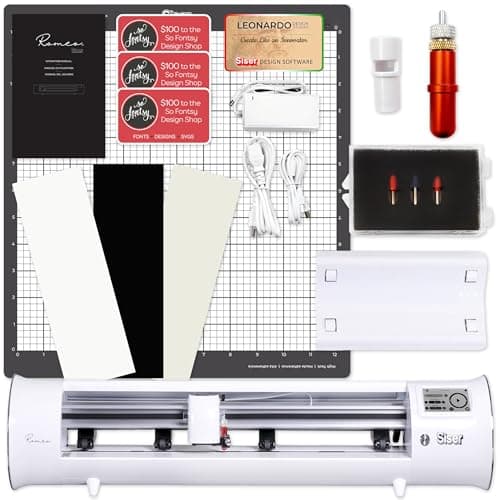
Siser
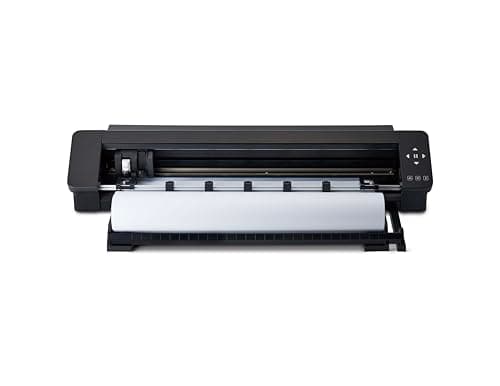
Siser Romeo: 24 in cutting with camera print and cut
See price on Amazon
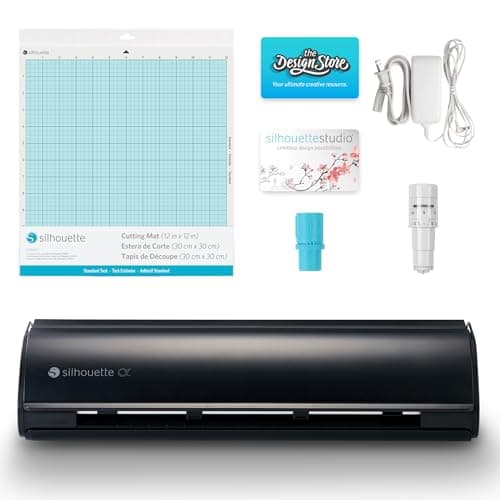
- Silhouette Cameo Pro MK II: 24 in and dual carriage
- Max cut width
- 24 in
- Max material thickness
- Not stated
- Blades/tools
- AutoBlade 2, pen adapter, roll feeder, dual carriage
- Software
- Not stated
- Cricut Maker 5 Essential Bundle with Scoring Tool
- Max cut width
- 12 in (30.5 cm)
- Max material thickness
- -
- Blades/tools
- -
- Software
- -
- Siser Romeo: 24 in cutting with camera print and cut
- Max cut width
- 24 in
- Max material thickness
- Not stated
- Blades/tools
- Two 45 degree and one 60 degree blade, pen adapter
- Software
- Leonardo Design Studio (Mac and PC)
| Pick | Max cut width | Max material thickness | Blades/tools | Software | Price | Link |
|---|---|---|---|---|---|---|
| Silhouette Cameo Pro MK II: 24 in and dual carriage | 24 in | Not stated | AutoBlade 2, pen adapter, roll feeder, dual carriage | Not stated | - | Amazon |
| Cricut Maker 5 Essential Bundle with Scoring Tool | 12 in (30.5 cm) | - | - | - | - | Amazon |
| Siser Romeo: 24 in cutting with camera print and cut | 24 in | Not stated | Two 45 degree and one 60 degree blade, pen adapter | Leonardo Design Studio (Mac and PC) | - | Amazon |
Facts are taken from each Amazon listing. Prices are checked daily and shown with their date.
Verdict
Choose the Silhouette Cameo Pro MK II if you want one-time software costs and long vinyl cuts from rolls. Choose the Cricut Venture if your shop already runs on Design Space and Smart Materials. If you do not need 24 inches, a 12 inch Maker 5 costs less; if you cut all day, consider a 24 inch plotter like the Siser Romeo.
When decals, banners and shirt transfers start outgrowing a 12 inch mat, the next step is a 24 inch cutter. Silhouette's Cameo Pro MK II and Cricut's Venture are the two craft-brand options, and both keep the familiar app of their smaller siblings. This page is for small shops and serious hobbyists choosing between them, or weighing a sign plotter instead. Our product catalog carries the Cameo Pro MK II but not the Cricut Venture, so the Venture is described in general terms without a product link or listing specs. The closest Cricut we list is the 12 inch Maker 5, shown here only for reference.
What the listings say
The Silhouette Cameo PRO listing describes cutting designs up to 24 inches wide, long cuts up to 60 feet with auxiliary rollers for stability, a dual-powered carriage for cutting and sketching or using two tools at once, reduced noise, and an included heat pen for foil stamping and an embossing tool. The box contents listed are the Cameo Pro MK-II, AutoBlade 2, roll feeder, pen adapter, adjustment tool and a 24 x 24 inch cutting mat.
The Cricut Venture is Cricut's 24 inch machine. It uses Design Space and is built for larger and longer cuts than the Maker and Explore, including Cricut Smart Materials fed without a mat. We do not list it, so check Cricut's official page or a current listing for its speed, length limits and what comes in the box.
| Model | Cut width | Long cuts | Tools | Listed price |
|---|---|---|---|---|
| Silhouette Cameo PRO MK-II | Up to 24 in | Up to 60 ft | Dual carriage, AutoBlade 2, heat pen, embossing tool | $499.99 |
| Cricut Venture | 24 in class | Long matless cuts with Smart Materials | Check current listing | Not in our catalog |
| Cricut Maker 5 (reference, 12 in) | 12 in | Not stated | Works with 13 tools | $399.00 |
| Siser Romeo 24 in (alternative) | 24 in | Roll feeder included | 45 and 60 degree blades, pen adapter, camera for Print and Cut | $489.00 |
Note.The Maker 5 is not a 24 inch machine. It is shown because it is the closest Cricut model in our catalog, for buyers who might not need the extra width.
Speed and long cuts
For a small shop, the real question is how much time you spend loading, trimming and re-loading. A 24 inch width lets you nest more small decals across one pass or cut a single large design without tiling. Long-cut support decides whether a banner or a run of repeated labels can go through in one job.
The Cameo Pro's listed 60 ft cut length and roll feeder make it well suited to vinyl from rolls. The Venture's strength is matless cutting of Cricut Smart Materials and the same guided workflow as other Cricut machines. Neither craft cutter is a production sign plotter; if you cut all day, compare a dedicated plotter in craft cutter vs vinyl plotter.
Software costs
This often decides it. Silhouette Studio has a free Basic Edition, and paid editions are one-time purchases that add features such as SVG import and more design tools. Silhouette Studio editions explained lists what each one adds.
Cricut Design Space is free to use, and Cricut Access is an optional subscription for its image, font and project library. You can upload your own SVG files without Access. See do you need Cricut Access for what it does and does not unlock. For a shop selling designs it created, neither paid option is strictly required; they matter if you rely on licensed library content.
Materials and blades
Both are drag-blade cutters, so they are at home with adhesive vinyl, HTV, cardstock and printable materials. The site's cut settings finder gives starting settings: for vinyl, a fine blade at default pressure and a small test cut. On the Cameo, the AutoBlade sets depth from the material picked in Studio, lower for thin vinyl and higher for cardstock.
If you need to cut wood, chipboard or unbacked fabric, neither 24 inch cutter is the right choice. Those jobs need the Cricut Maker's knife or rotary blade; see Cricut Venture vs Maker 4 and best cutting machines for thick materials.
Which shops fit which machine
Space matters too. A 24 inch cutter needs clear room front and back for the material to travel, especially with a 24 x 24 inch mat. Measure your bench before buying either. Our vinyl shirt business equipment page covers the rest of a small shop setup.
- Already on Cricut with Smart Materials and Design Space projects: the Venture keeps everything in one ecosystem.
- Already on Silhouette, or you want one-time software costs: the Cameo Pro MK II.
- Mostly long vinyl decals and banners from rolls: the Cameo Pro's listed 60 ft cuts and roll feeder fit well.
- Heavy daily volume, sign work or contour cutting at larger sizes: look at a 24 inch plotter such as the Siser Romeo, covered in best large-format vinyl cutters.
Frequently asked questions
Is the Cameo Pro MK II the same as the Silhouette Cameo PRO listing? The listing's box contents name the Silhouette CAMEO PRO MK-II, so yes, that listing is the MK II.
Does the Cricut Venture need Cricut Access? No. Design Space is free and you can upload your own designs. Access is an optional library subscription.
Can either one cut wood? No. For basswood and chipboard you need a Cricut Maker with the knife blade.
Is a 24 inch cutter worth it for a hobbyist? Only if you regularly cut designs wider than 12 inches or long banners. Otherwise a 12 inch machine is cheaper and smaller.