Fix
Vevor vinyl cutter not cutting
Published
Short answer
If a Vevor cutter receives a job and does nothing, the COM port, driver or command settings in SignMaster usually do not match the cutter. If it moves but does not cut through, the blade exposure is too short, the force too low or the blade is dull. If it cuts the backing, reduce exposure first. If the cut drifts or doubles, move the pinch rollers onto the grit sections and check the blade holder.
Gear for this job
All 6 picks compared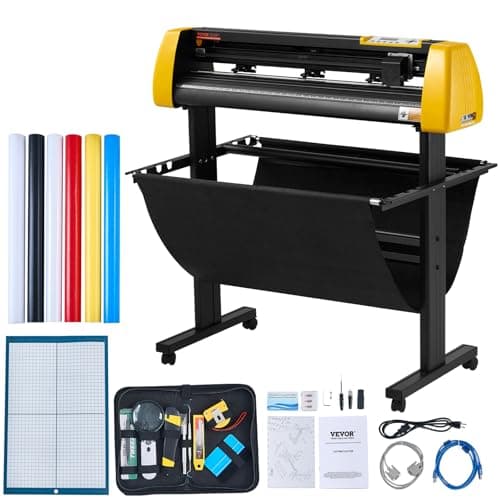
VEVOR 34 in with camera contour cutting and stand
See price on AmazonSee it on Amazon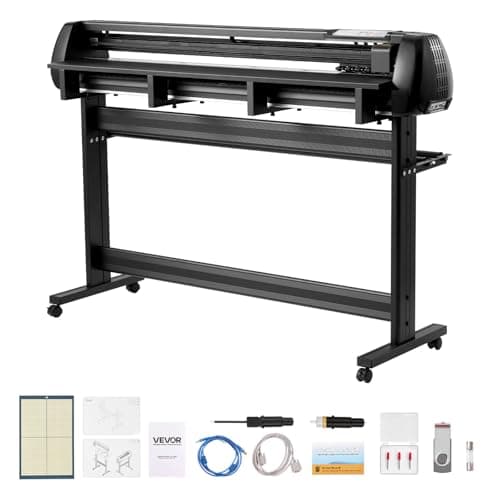
VEVOR 53 in dual-blade plotter with Mac support
See price on AmazonSee it on Amazon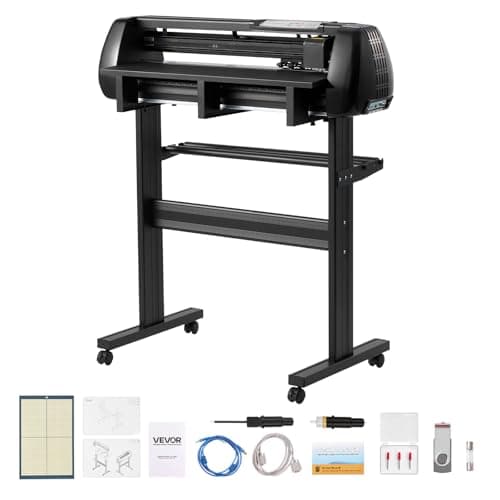
VEVOR 28 in dual-blade plotter with Mac support
See price on AmazonSee it on Amazon
Budget roll-fed plotters like Vevor's 28, 34 and 53 inch models cut sign vinyl and heat transfer vinyl well, but they leave more to the owner than a Cricut does. You set the blade by hand, choose the force on a panel and pick a port in the software. When something is off, the cutter may do nothing, cut too lightly, cut too deep or wander. This page goes through each symptom with the checks to do first, cheapest and most likely first, and covers when a blade or holder needs replacing.
Find your symptom
| Symptom | Most likely cause | First check |
|---|---|---|
| Nothing happens when you send a job | Wrong COM port, missing driver, cutter offline | Device Manager and SignMaster port |
| Random lines or garbage cuts | Command language or baud rate mismatch | DM/PL or HP/GL and baud in SignMaster |
| Moves but leaves no cut | Blade not exposed or holder not seated | Blade exposure and holder clamp |
| Cuts but vinyl does not weed | Force too low or blade dull | Raise force a step, inspect blade |
| Cuts through the liner | Too much exposure or force | Hide more blade first |
| Rounded corners, shapes not closed | Wrong blade offset or worn blade | Offset setting, new blade |
| Cut drifts on long jobs | Pinch rollers off the grit areas | Roller positions |
When the cutter does nothing
Vevor's listings describe USB and serial (COM) interfaces, and some models also take a U-disk. Some older models list Windows only and say they are not Mac compatible. If you changed computers or updated Windows, the COM number may have changed; reselect it. The full setup is in how to set up a Vevor vinyl cutter.
- 1
Check that the cutter is switched on and online. Some panels must be set to an online or ready state after loading material.
- 2
Open Device Manager on Windows and look under Ports (COM & LPT) for the cutter's COM number.
- 3
If it is missing or has a warning icon, install the USB driver from the cutter's software package, then reconnect the cable.
- 4
In SignMaster's cutter setup, choose your model and select that same COM port.
- 5
Match the command language (DM/PL or HP/GL) and baud rate to what the cutter's manual lists.
- 6
Send a small test square.
When it moves but does not cut through
Remove the blade holder and look at the tip. It should stick out only about the thickness of the vinyl film. If you see no tip, turn the cap to expose a little more. If the tip is chipped or caked with adhesive, replace the blade. Check that the holder is fully seated and the clamp is tight; a loose holder bounces and skips.
Then raise force in small steps on the control panel. Vevor's listings give an adjustable force range of roughly 10 or 20 to 500 grams depending on the model. Slow the speed for small text and detailed designs, because a fast drag knife cuts corners poorly. Thicker films such as glitter heat transfer vinyl often cut better with a 60 degree blade than with the standard 45 degree blade.
When it cuts the liner or tears vinyl
A blade that cuts through the liner has too much exposure, too much force, or both. Reduce the exposure first, since force alone cannot fix a blade that sticks out too far. The goal is a kiss cut: through the vinyl, with only a faint line on the liner.
Torn letters and lifted corners usually mean a dull blade, too much speed or the wrong offset. The offset tells the software how far the swiveling tip trails behind the holder's center. If it is wrong, corners come out rounded or shapes do not close. Set it to match the blade angle in SignMaster or the panel, then run the test cut.
When the cut drifts or doubles
Long cuts that start lined up and then wander usually come from the pinch rollers. The outer rollers must sit over the gritty sections of the feed roller, marked on the frame, and both must be on the vinyl. Load the vinyl square to the front edge, and unroll enough slack for the job so the plotter does not pull against the roll. Double lines or ghost cuts can also come from a loose blade holder.
If text cuts sideways or stretched, the orientation or scaling is off in the software; see vinyl cutter text cutting vertical. More blade tips are in how to adjust a vinyl cutter blade.
Blades, holders and when to upgrade
Drag knife blades wear, and a budget cutter's included blades may not last long on glitter or reflective film. Check what holder your model uses before buying spares; one Vevor listing calls its holder Roland compatible, which takes common plotter blades. A holder with a sticky bearing stops the tip from swiveling and ruins corners, so replace it if the blade does not spin freely.
If you have worked through every step and the machine still struggles, or you are cutting enough to need contour cutting and faster support, compare options in our Vevor vinyl cutter guide and vinyl cutters for a small business.
Note.Switch the cutter off before you reach near the carriage or blade, and handle blades by the holder.
Frequently asked questions
Why is my Vevor vinyl cutter not cutting through? Usually the blade exposure is too short, the force is too low or the blade is dull. Check the tip, expose a little more blade, then raise force one step and test.
What blades fit a Vevor vinyl cutter? Most use a drag knife holder for standard plotter blades. A 45 degree blade is standard for vinyl and a 60 degree blade suits thicker films. Check your holder type before ordering.
Why does my Vevor cutter not respond to SignMaster? The COM port, driver or command language does not match. Find the port in Device Manager and select the same port and settings in SignMaster.
Can a Vevor cutter be repaired? Simple fixes such as a new blade, holder or roller adjustment are owner jobs. For motor or board faults, contact Vevor support with your model and the symptom.