How-to
How to cut felt with a Cricut Explore
Published
Short answer
A Cricut Explore cuts felt well if the felt is stiffened or has an iron-on backer. Use the deep point blade for stiffened felt and the bonded fabric blade for backed felt, on a fresh StandardGrip, StrongGrip or FabricGrip mat. Pick the matching felt setting in Design Space, run a small test cut, and keep designs simple. Soft unbacked felt needs a Cricut Maker with the rotary blade.
Gear for this job
All 5 picks compared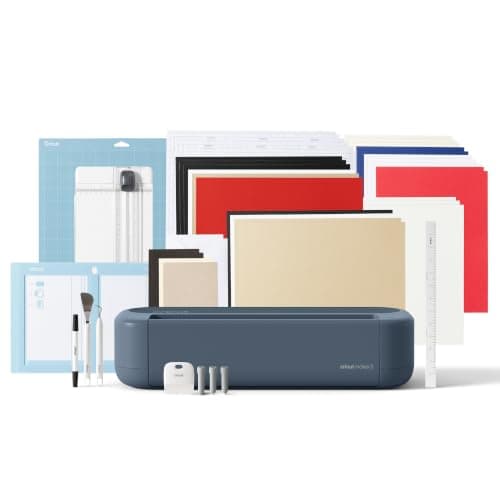
Cricut Maker 5: fabric among 300+ materials
See price on AmazonSee it on Amazon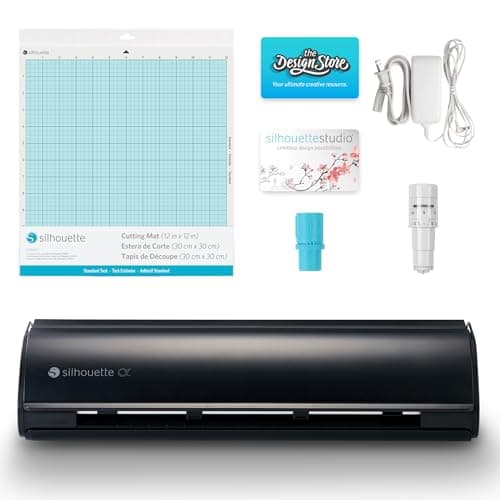
Silhouette Cameo 5 Alpha: fabric up to 3 mm
See price on AmazonSee it on Amazon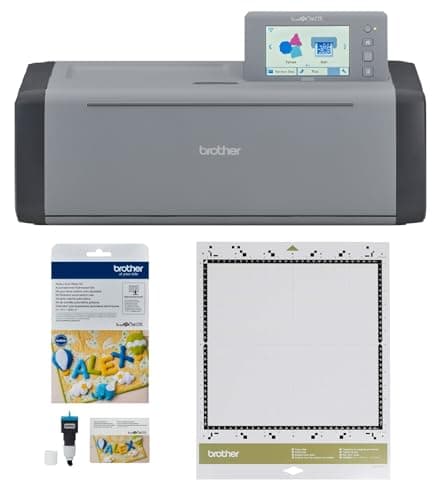
Brother ScanNCut SDX125E with Rotary Blade Kit and fabric mat
See price on AmazonSee it on Amazon
Felt flowers, banners, toys and appliques are popular Cricut projects, but most tutorials assume a Cricut Maker with its rotary blade. This page is for Explore Air 2 and Explore 3 owners who want clean felt cuts without upgrading. The key is giving the drag blade something firm to cut: either a stiffened craft felt or a soft felt with a fusible backer. We cover choosing felt, preparing it, the right blade and mat, the Design Space settings, and what to do when edges come out fuzzy or the felt shifts.
Why felt is tricky on an Explore
The Explore uses drag blades that slice by pulling a sharp point through the material. That works well on vinyl and paper, which are firm and hold still. Soft felt is a mat of loose fibers. A drag blade tends to push and stretch the fibers instead of cutting them, which leaves fuzzy edges, uncut sections and pieces that pull off the mat.
The Cricut Maker solves this with the rotary blade, which rolls through fabric like a pizza cutter. The Explore cannot drive that blade. Instead, you make the felt behave more like cardstock, either by buying stiffened felt or by fusing a backer to the back. Then a drag blade can cut it cleanly.
Choose the right felt
Stiffened felt is the simplest option. It is sold in sheets in craft stores and online and is firm enough for the deep point blade. Thinner felts usually cut more cleanly than thick ones. Acrylic craft felt is cheap but fuzzes more; wool-blend felt is denser and holds a crisp edge better.
| Felt type | Blade | Mat | Notes |
|---|---|---|---|
| Stiffened craft felt | Deep point blade | StandardGrip (green) or StrongGrip (purple) | Easiest choice for an Explore |
| Soft felt with fusible backer | Bonded fabric blade | FabricGrip (pink) | Fuse the backer smoothly first |
| Wool or wool-blend felt with backer | Bonded fabric blade | FabricGrip (pink) | Dense, often cuts cleaner than acrylic |
| Soft unbacked felt | Not recommended | Needs a Maker with the rotary blade |
Prepare and load the felt
Grip matters more with felt than with most materials. A tired mat lets the felt lift and bunch under the blade. If the felt shifts, use a StrongGrip mat or tape the edges with masking tape outside the cut area.
- 1
If the felt is soft, cut a piece of fusible backer such as a paper-backed fusible web or interfacing slightly larger than the felt.
- 2
Fuse the backer to the back of the felt following the backer's package directions. Press evenly so there are no bubbles or loose spots.
- 3
Lint-roll the felt to remove loose fibers that can clog the blade.
- 4
Use a clean, sticky mat. Place the felt with the backer side down, smooth it from the center out and press it with a brayer.
- 5
Move the white star wheels on the roller bar to the right so they do not leave tracks on thick felt, if your project allows.
- 6
Load the mat with the left edge under the guides and press the Load button.
Blade and Design Space settings
In Design Space, choose Custom on the material dial if your Explore has one, then search the material list for felt. Pick the setting that matches your felt, such as a stiffened felt or a backed felt option, and let Design Space choose pressure and passes. The software prompts you for the blade it expects. Load the deep point blade for stiffened felt, or the bonded fabric blade for backed felt.
Do not invent numbers. Start with Design Space's preset for your felt and run a test cut. If the cut does not go all the way through, choose More pressure for that material or add a pass rather than switching to a very different setting. Our cut settings finder shows the blade, mat and pressure direction for stiffened felt and backed fabric on each machine, and Cricut blades explained covers the blade housings.
Note.Cut a small test shape, about one inch, in a corner before every new felt. Change one setting at a time.
Design tips for clean felt cuts
Felt rewards simple shapes. Avoid lettering under about an inch tall, thin spikes and tight inside corners, which tend to fray or stay attached. Rounded shapes, flowers with broad petals and chunky letters cut most reliably. Group pieces with some space between them so the blade is not cutting fibers that have already been loosened by a neighboring cut.
After cutting, unload the mat and peel the mat away from the felt rather than lifting felt off the mat. Bend the mat downward so it releases the pieces gently. Trim any stray fibers with small scissors. If you plan to sew or glue the pieces, leave the backer on; it adds body and does not show on most projects.
Fixes for common felt problems
If you cut felt every week, think about a Maker. The rotary blade handles soft, unbacked felt and fabric with no prep. Our best cutting machine for fabric guide and Cricut Maker vs Explore explain the trade-offs.
| Problem | Likely cause | Fix |
|---|---|---|
| Fuzzy or ragged edges | Soft felt or dull blade | Add a backer, clean or replace the blade |
| Cut does not go through | Pressure too low for this felt | Choose More pressure or add a pass, then test |
| Felt bunches or shifts | Mat not sticky enough | Use a fresh StrongGrip mat or tape the edges |
| Tracks on the felt surface | Star wheels rolling over it | Move the star wheels to the right |
| Small pieces tear off | Details too small | Enlarge or simplify the design |
Frequently asked questions
Can a Cricut Explore Air 2 cut felt? Yes, if the felt is stiffened or backed. Soft unbacked felt usually comes out fuzzy or uncut on an Explore.
Which blade cuts felt on an Explore? The deep point blade for stiffened felt and the bonded fabric blade for felt with a fusible backer.
What mat should I use for felt? A fresh StandardGrip or StrongGrip mat for stiffened felt, and a FabricGrip mat for backed felt. Tape the edges if it shifts.
Do I need a Cricut Maker for felt? Only for soft, unbacked felt. The Maker's rotary blade cuts it with no backer.
What you need for this
- See price on AmazonAmazon
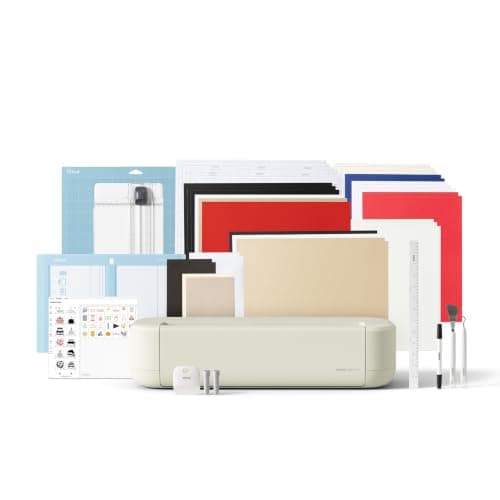
Cricut Maker 5 Essential Bundle with Scoring Tool
 See price on AmazonAmazon
Cricut Explore 5: scores and writes, 12 in width
From Best Cricut machines, from Joy 2 and Joy Xtra to Maker 5